Understand Kubernetes for Beginners: Pods, Services and Ingress Explained
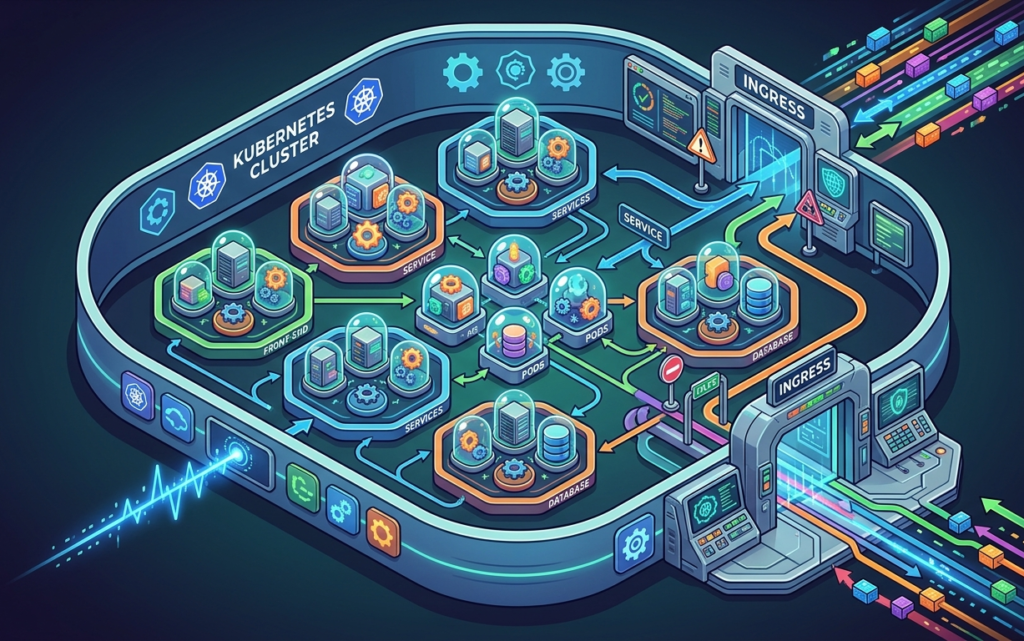
Most developers first encounter Kubernetes the wrong way. They copy commands, memorise YAML snippets, and still struggle to explain what is actually happening in their cluster. To truly understand Kubernetes for beginners, you need to stop reciting definitions and start seeing how the pieces move together.
Kubernetes, often shortened to K8s, is an open-source container orchestration platform. Originally designed by Google based on their internal system Borg, it is now maintained by the Cloud Native Computing Foundation (CNCF) and supported by every major cloud provider. In short, it automates deploying, scaling, and managing containerised applications across clusters of machines.
So why does it feel so hard? Because most learning resources show structure without behaviour. They give you diagrams but not motion. That gap is where most beginners stall.
Start with Pods, the smallest unit
The best place to understand Kubernetes for beginners is at the bottom of the stack. A Pod is the smallest schedulable object in Kubernetes. It contains one or more tightly-coupled containers that share storage and network resources. Think of it as a wrapper around your container that Kubernetes can track, manage, and restart.
Crucially, Pods are temporary. Pods are ephemeral, Kubernetes recreates them when needed. This is not a flaw. It is by design. Kubernetes is built to expect failure and recover automatically.
Deployments manage the Pods you care about
Since Pods are disposable, you need something to manage them reliably. That is what a Deployment does. A Deployment manages ReplicaSets, which in turn manage Pods. It ensures your desired state is maintained. If a Pod crashes, the Deployment notices and spins up a replacement immediately.
Deployments enable declarative updates for Pods and ReplicaSets, and are the standard way to run stateless applications. You declare the end state you want, and Kubernetes figures out how to get there. That declarative model is one of the most powerful things about Kubernetes.
Services keep networking stable
Here is where many beginners get confused. Pods come and go, which means their IP addresses change constantly. So how does one part of your app reliably talk to another? The answer is a Service.
A Service is used to make a set of Pods available on the network so that clients can interact with it. If you use a Deployment to run your app, that Deployment can create and destroy Pods dynamically. Without a Service in between, your app’s components would lose track of each other every time a Pod restarted.
A Service provides a consistent IP address and DNS name, and then routes traffic to the appropriate Pods based on label selectors. It is the stable layer between your moving parts. Services also come in different types, Cluster IP for internal access, NodePort for exposing on a node’s IP, and LoadBalancer for external cloud traffic.
Ingress handles the outside world
Once your app runs internally, you need a way to receive traffic from users. That is where Ingress steps in. Ingress is a Kubernetes object that manages external HTTP/HTTPS traffic and routes it to your services, this is how the outside world safely reaches your internal services.
Without a Service, the Ingress resource would not be able to route traffic to the appropriate Pods. The Service acts as a bridge between the Ingress resource and the Pods, providing a stable and reliable way to route traffic within the cluster. Think of Ingress as the front door and Services as the internal corridors.
ConfigMaps and the bigger picture
Beyond these four core components, Kubernetes also uses ConfigMaps to store non-sensitive configuration data, and Secrets for sensitive values like passwords and tokens. Understanding Pods, Deployments, Services, and Ingress gives you the vocabulary to deploy and manage any containerised application.
The key shift for anyone trying to understand Kubernetes for beginners is moving from “what do I type” to “what does this actually do.” Once you see the system as a set of coordinating parts, each with a specific responsibility, the commands start making sense on their own.
If you are just starting out, deploy a single application with a Deployment and Service on Minikube or kind. Once that works, add an Ingress, ConfigMaps, and health checks. Build up gradually. Understanding compounds.
For a visual, interactive approach to exploring these components in motion, the open project at anatomyof-k8s.vercel.app offers a hands-on way to see how Pods, Services, and Ingress actually interact in a live cluster, without needing to set one up first.
Kubernetes does not have to be a black box. Start small, stay curious, and focus on understanding over memorisation.